GlucoGlyde
Managing diabetes shouldn't feel like a full-time job
Many individuals with diabetes face the challenge of managing a diverse array of vital values crucial to their health. These users require a convenient and efficient method to log this broad spectrum of data, as it plays a pivotal role in making informed decisions regarding their diabetic management.
The current lack of a user-friendly platform creates obstacles, hindering the user's ability to seamlessly collect and monitor essential information related to their health. Developing a solution that addresses this need is essential for empowering individuals with diabetes to take proactive steps in enhancing their overall well-being.
[Overview]
GlucoGlyde is a comprehensive app designed for individuals with diabetes who lead active lifestyles. The project followed a full UX design process from research through high-fidelity prototype and usability testing.
[Objectives]
- Create a user-friendly platform to log and monitor health metrics
- Integrate glucose tracking with activity and medication data
- Design intuitive flows for daily diabetes management
- Validate the design through moderated usability testing
[Impact]
- Identified and resolved 4 critical usability issues
- Created persona-driven design validated by target users
- Delivered a polished high-fidelity prototype
- Established design patterns for health data visualization
User Interviews & Survey
I conducted a survey consisting of 11 questions to a diverse group of 14 participants, encompassing various backgrounds, nationalities, and age groups.
Additionally, I conducted in-depth interviews lasting 30 minutes each with three participants, primarily employing open-ended questions. These interactions yielded valuable information, leading to the discovery of key insights.
Key Insights
CGM Sensors — Dexcom takes center stage, with a focus on precision, mobile app compatibility, and prolonged wear.
Activity Trackers — Especially the Apple Watch, integrating health into daily routines and emphasizing seamless connectivity with diabetic management apps.
Health Metrics — Crucial information revolves around monitoring blood glucose, insulin doses, carbs, exercise, and medications.
Security Concerns — Users demand robust features including encryption, secure authentication, and transparent privacy policies to safeguard health data.
Affinity Mapping
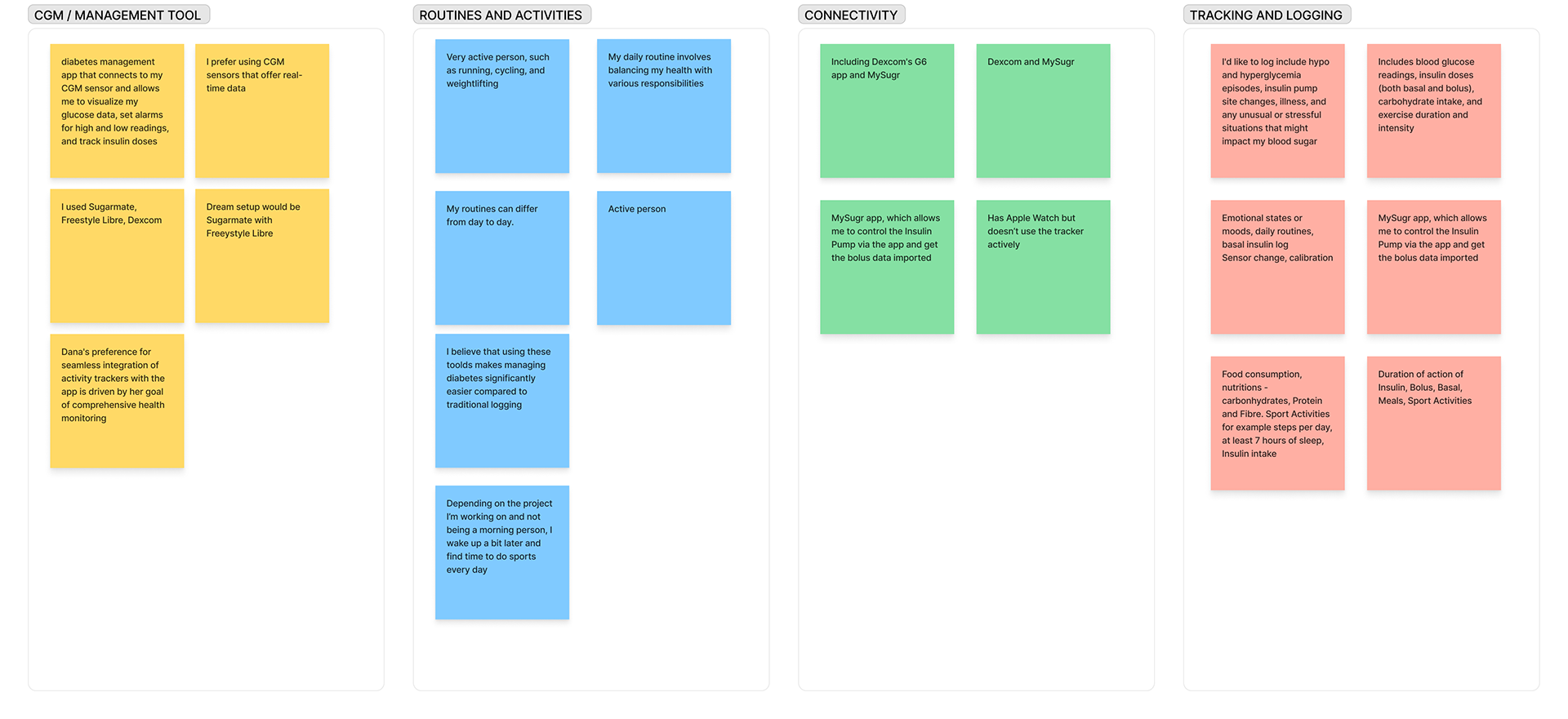
Daily logging includes meals, exercise, blood sugar levels, medications, and overall well-being, offering a comprehensive view of health patterns. However, users grapple with challenges in existing apps and CGM systems, facing issues like data accuracy, technical glitches, and intricate interfaces.
Design Personas
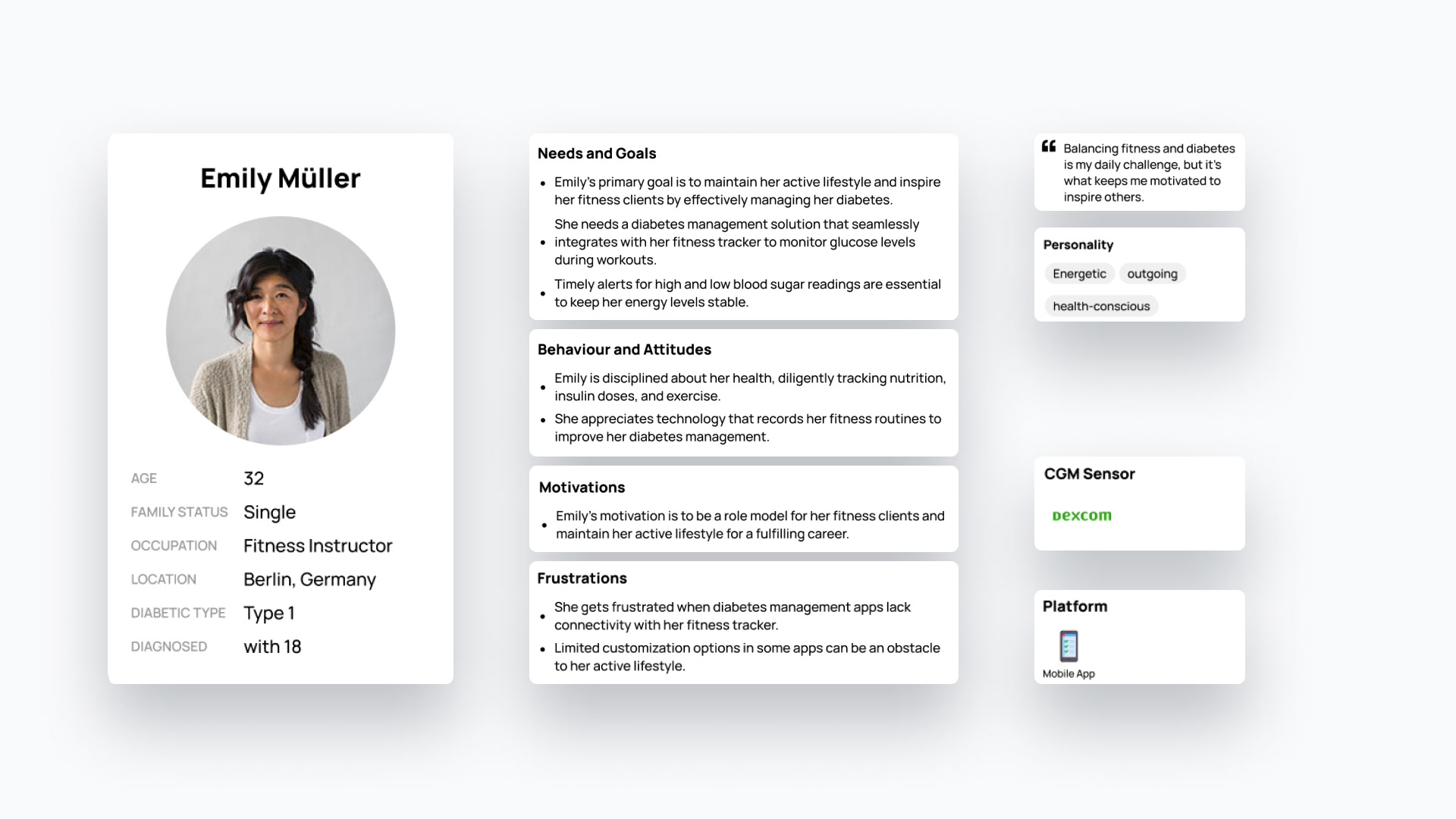
Emily Müller, 32, Fitness Instructor in Berlin — Emily, with her energetic lifestyle, symbolizes the active individuals who yearn for a solution seamlessly integrating health management into their fitness routines.
Florian Teusch, 35, Sales Representative & Frequent Traveler — Florian represents the pragmatic professionals seeking simplicity and efficiency in diabetes management while constantly on the move.
User Journey
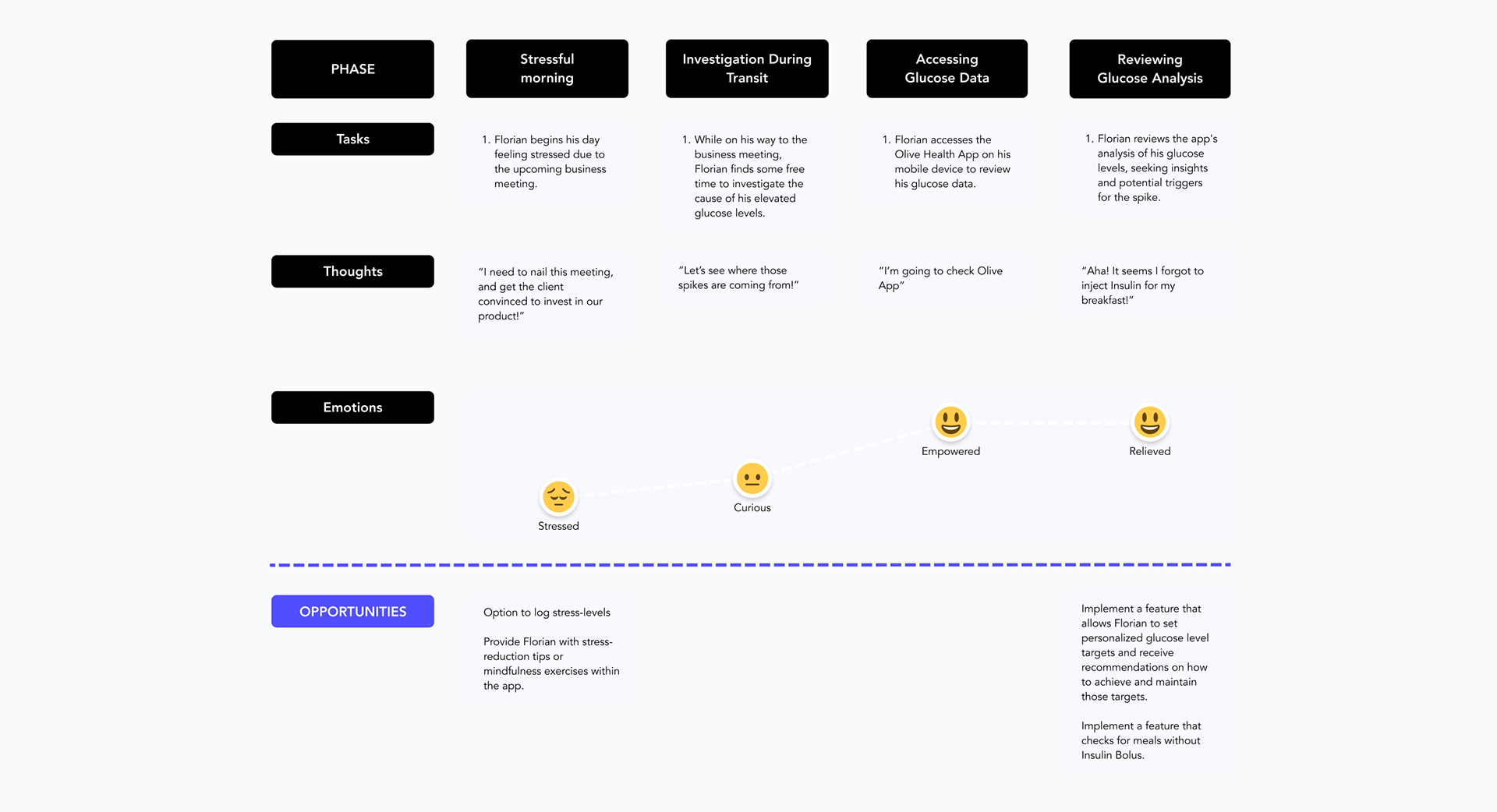
In crafting the user journey maps, the primary objective was to meticulously chart the user's experience and pinpoint any pain points or areas in need of enhancement. The journey map serves as a visual narrative, tracing the user's interactions with the app from initiation to completion.
User Flows
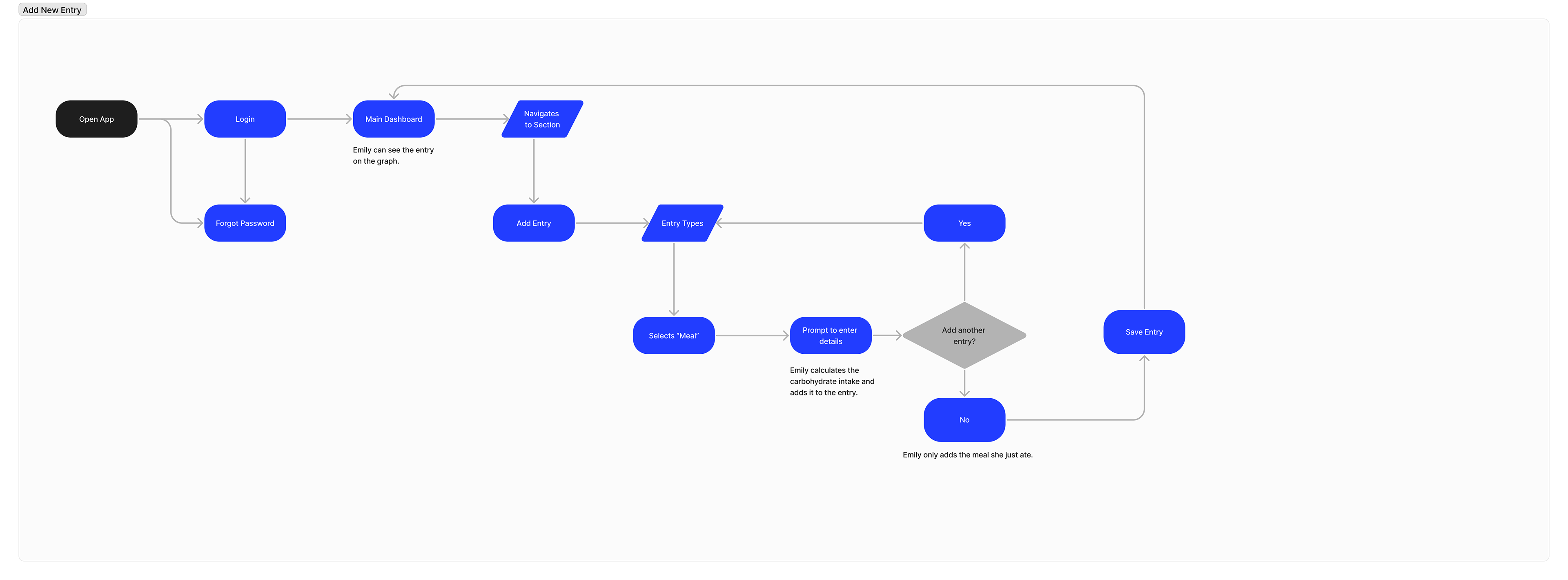
Armed with the gained insights derived from Emily and Florian's personas, I seamlessly translated their needs into a series of intuitive user flows. These crafted user flows serve as a strategic roadmap, guiding the design process to ensure that the app aligns seamlessly with the users' expectations.
Information Architecture
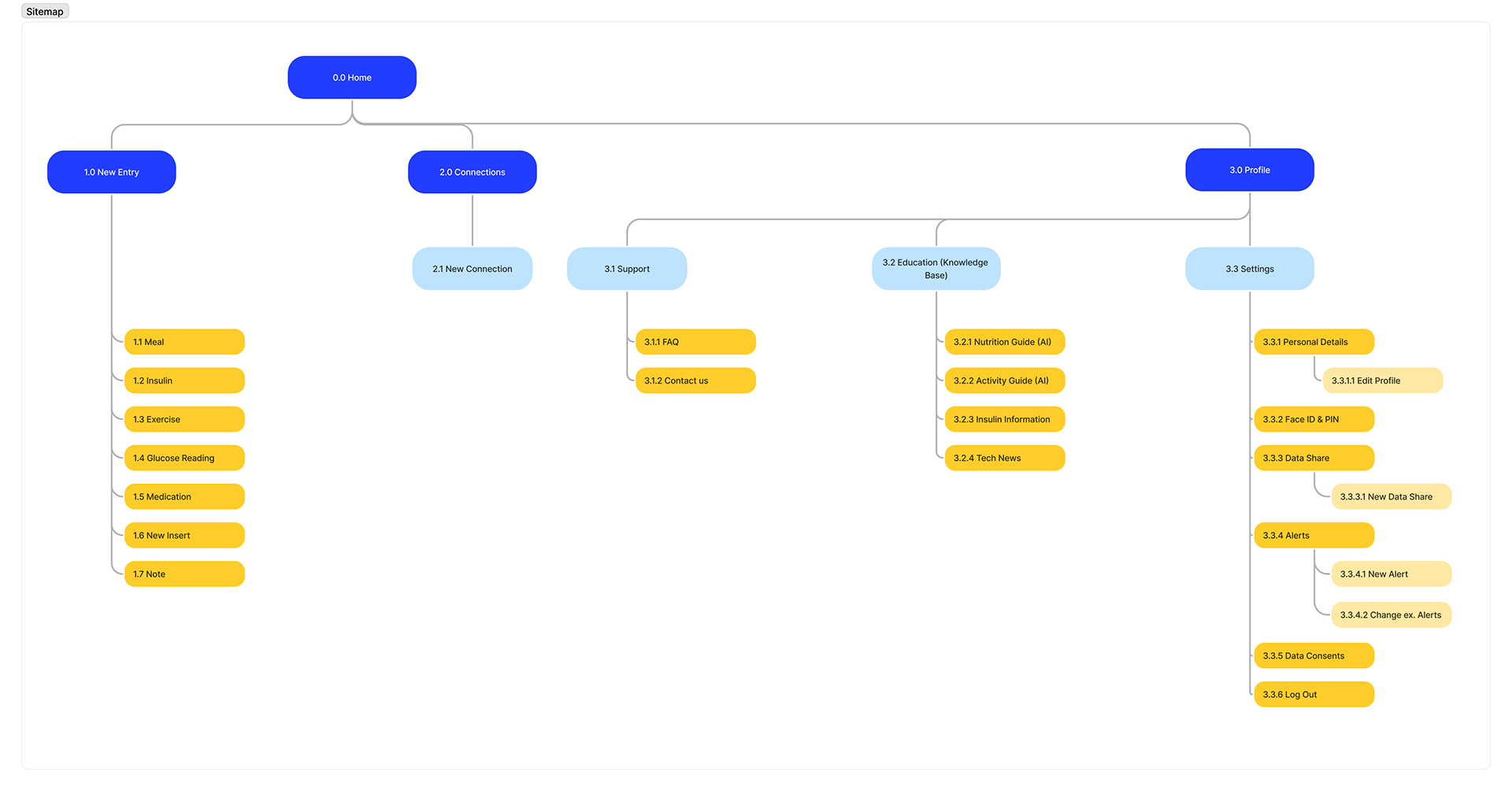
Building upon the foundation of essential screens, I systematically organized and interconnected them to form the backbone of the GlucoGlyde app. This sitemap acts as a visual representation outlining the architectural structure of the application.
Wireframes
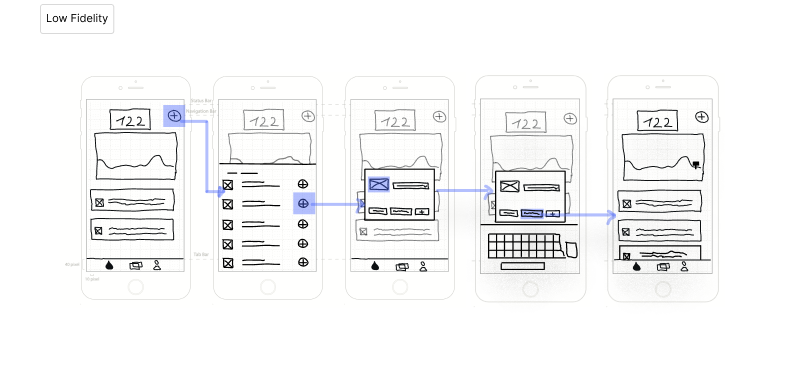
Embarking on the next phase, I began translating the architectural foundation into tangible screens by drafting a Low-Fidelity Prototype for GlucoGlyde. This step involved outlining the placement of every element and detailing the necessary interactions within the app.
The design journey evolved through a series of iterations, resulting in a Mid-Fidelity Prototype with enhanced details and a closer alignment to the final design vision.
Usability Testing
The study was moderated, remote via Zoom, included a short briefing, task performance with the app on mobile and a debriefing session. Six participants between 31 and 35 were screened for demographic fit with GlucoGlyde's target user group.
Test Findings
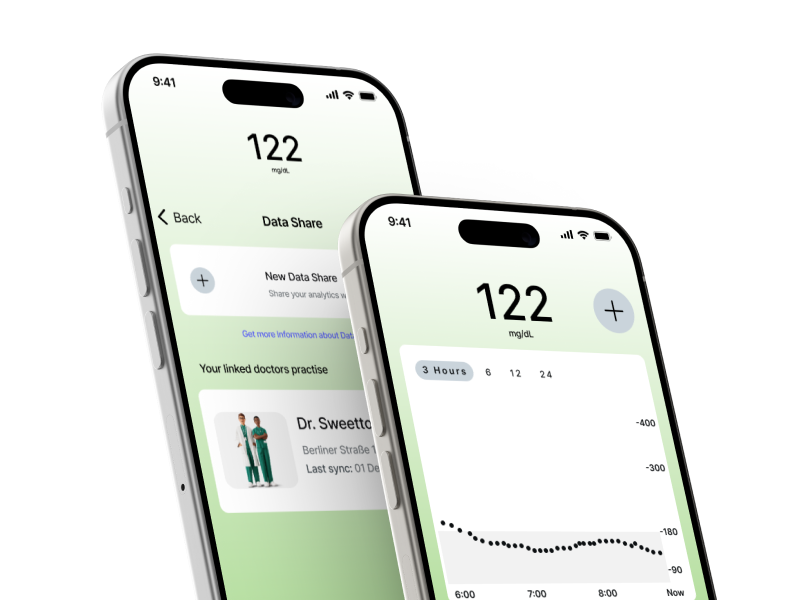
Missing X / Y Scale in Graphs (Severity 4) — Add a timeline and blood glucose scale to graphs for clarity. Users need visual cues about the X and Y axes.
Cancel Button Unusable (Severity 3) — Add functionality to the Cancel Button in the "Add New Event" feature to ensure users can exit the process when needed.
Lack of Swipe Functionality (Severity 3) — Integrate swipe functionality within the "Add New Event" feature to enhance user interaction and navigation.
Home / Glucose Icon Confusion (Severity 3) — Replace the Home / Glucose icon with a more intuitive one to eliminate confusion regarding its functionality.
Final Mockups & Prototype
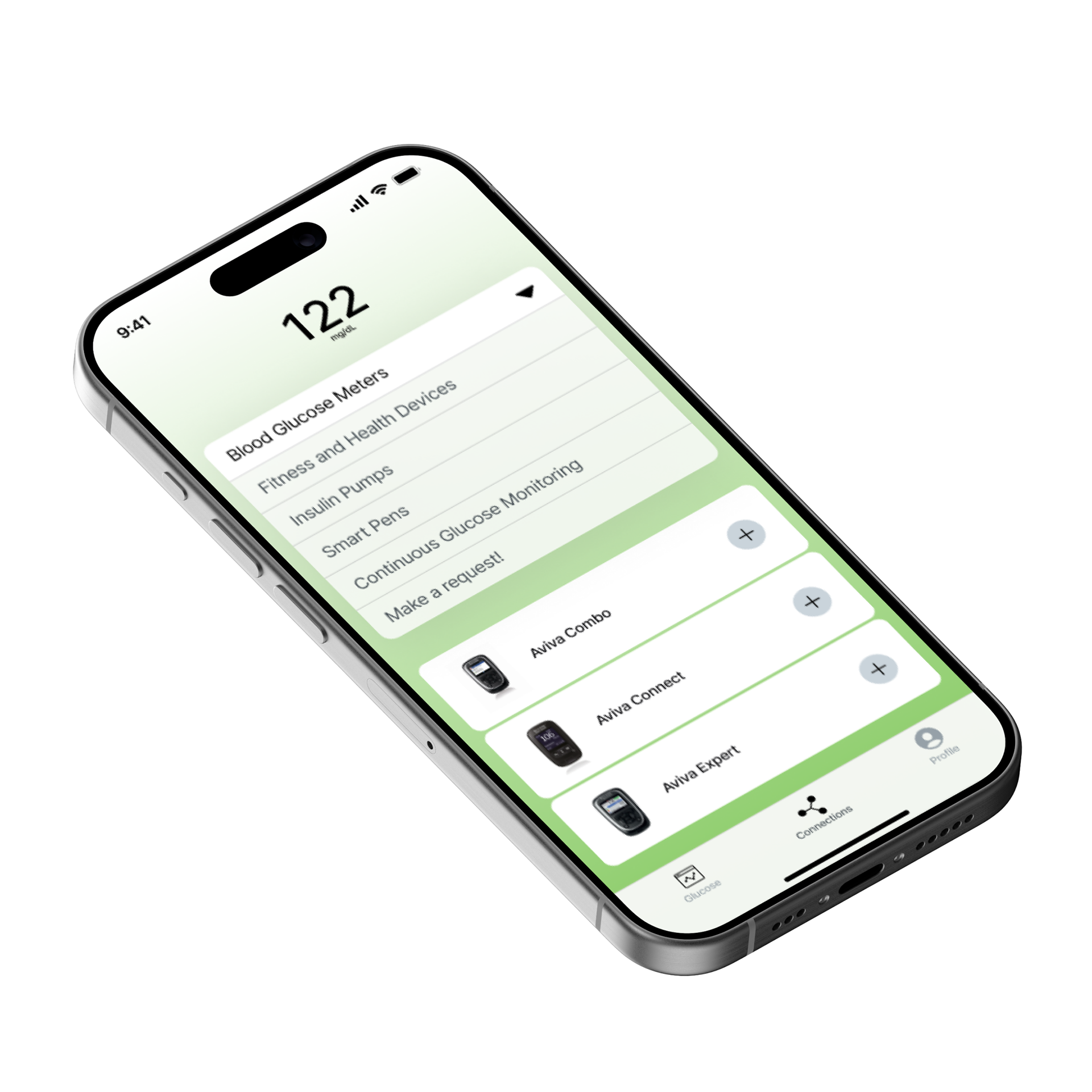
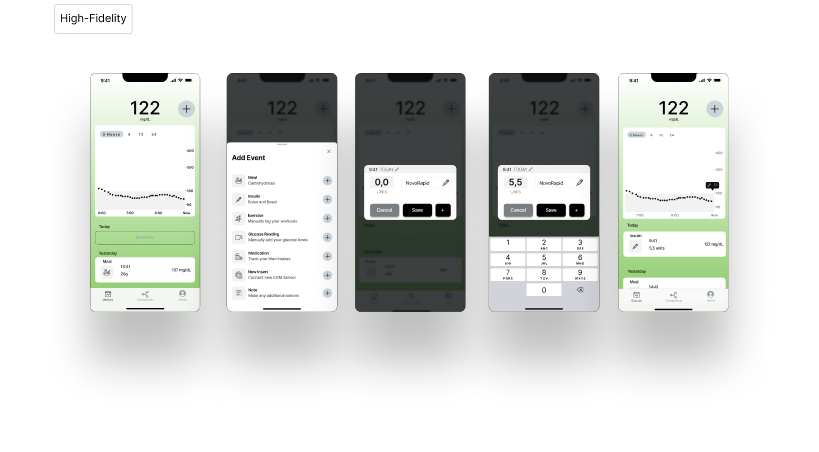
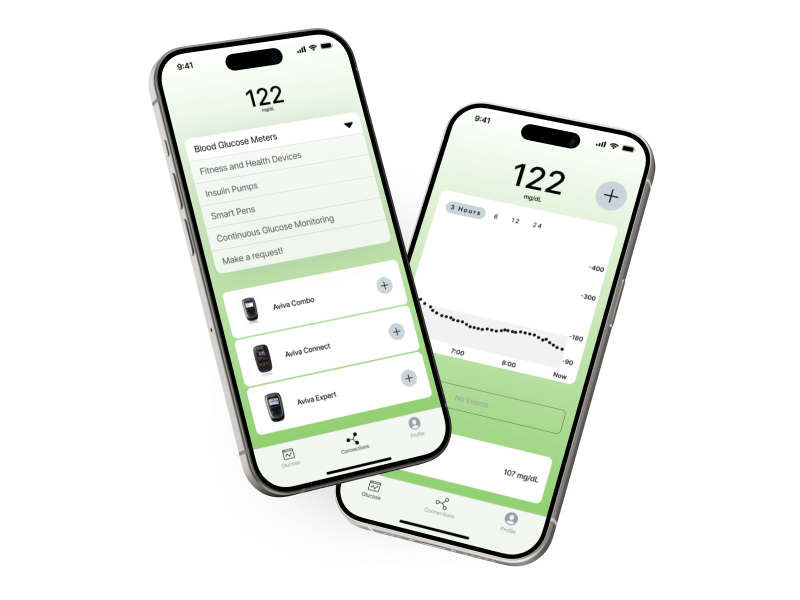
The design journey progressed from the Mid-Fidelity to High Fidelity Prototype. The visual elements, interactions, and user interface have been polished to bring the design closer to its ultimate form.
Your journey into the future of digital experiences begins with a click — explore, engage, and envision the possibilities!